

A look at what changes when you move from Wi-Fi 5 to 802.11ax Wi-Fi 6 in embedded industrial design
Wi-Fi 5 still works. If you’ve got a product in the field running 802.11ac, it isn’t broken and you don’t need to pull it apart. But if you’re starting a new design, like a new SOM, a new gateway, a new industrial controller, and you’re still defaulting to Wi-Fi 5 because it’s familiar, that’s worth looking at.
The industrial environment that Wi-Fi 6 was actually designed for looks a lot like the one you’re deploying into: congested 2.4 and 5 GHz bands, lots of devices competing for airtime, , and a very low tolerance for retransmissions. Wi-Fi 5 was designed for throughput. Wi-Fi 6 was designed for efficiency. In a factory or a warehouse, efficiency is usually what you need.
| Capability | Wi-Fi 6 — 802.11ax | Wi-Fi 5 — 802.11ac |
|---|---|---|
| Channel Access | ✔ OFDMA — AP serves multiple devices simultaneously. Better efficiency in congested deployments. | OFDM only — one device per channel slot. Contention and backoff under load. |
| Power Management | ✔ Target Wake Time (TWT) — radio sleeps on a negotiated schedule. Real impact on battery life in low-data-rate nodes. | Less granular power save modes. More radio-on time per transaction cycle. |
| Dense Deployment | ✔ BSS Coloring — distinguishes overlapping networks. Fewer unnecessary deferrals in dense AP deployments. | All overheard BSSs treated as interference. More backoff, lower effective throughput in dense sites. |
| Throughput | ✔ Up to 600 Mbps, dual-band. Suitable for video, high-rate sensor fusion, OTA updates. | Strong throughput, widely deployed. Suitable for most current industrial workloads. |
| Certification | ✔ Globally certified — Sona NX611. FCC, ISED, UKCA, CE, Bluetooth SIG out of the box. | Mature ecosystem, but you’re typically certifying your own design. |
With Wi-Fi 5, the AP hands the channel to one device at a time. With environments that have 30 sensors all trying to push data on a fixed schedule, you get conflicts, backoffs, and retries. The channel sits partially idle while devices wait their turn.
Wi-Fi 6 introduces OFDMA, Orthogonal Frequency-Division Multiple Access, which lets the AP subdivide the channel into units and serve multiple devices simultaneously in a single transmission window. Your 30-sensor environment doesn’t hinder anymore as the AP schedules them together. You get better airtime utilization without increasing transmit power or antenna count.
Target Wake Time (TWT) lets a device share a specific schedule with the AP for when it wakes up and communicates. Between those windows, the radio sleeps. For a battery-powered sensor on a 3-year deployment cycle, this matters more than peak throughput ever will. You’re not trying to stream video, you’re trying to push 200 bytes of data every 30 seconds without replacing a CR2032 battery every six months.
In a dense deployment, like a large warehouse with multiple Aps, Wi-Fi 5 devices that overhear a neighboring BSS defer, even when the signal is weak enough that it shouldn’t matter. Wi-Fi 6 adds a color code to each BSS, so devices can distinguish “my AP” from “not my AP” and avoid backing off unnecessarily. Less deferral means more efficient use of the channel across the whole floor.
Here’s the part that doesn’t show up in chipset marketing: Wi-Fi 6 certification and regulatory compliance are more complex than Wi-Fi 5. The 6 GHz band (Wi-Fi 6E) adds regional complexity. Even a dual-band Wi-Fi 6 module has more regulatory surface area than Wi-Fi 5. If you’re rolling your own hardware, that’s your problem to solve. FCC, CE, ISED, UKCA, each market, each certification body, each power config. And that’s before you get to the driver stack on your target kernel.
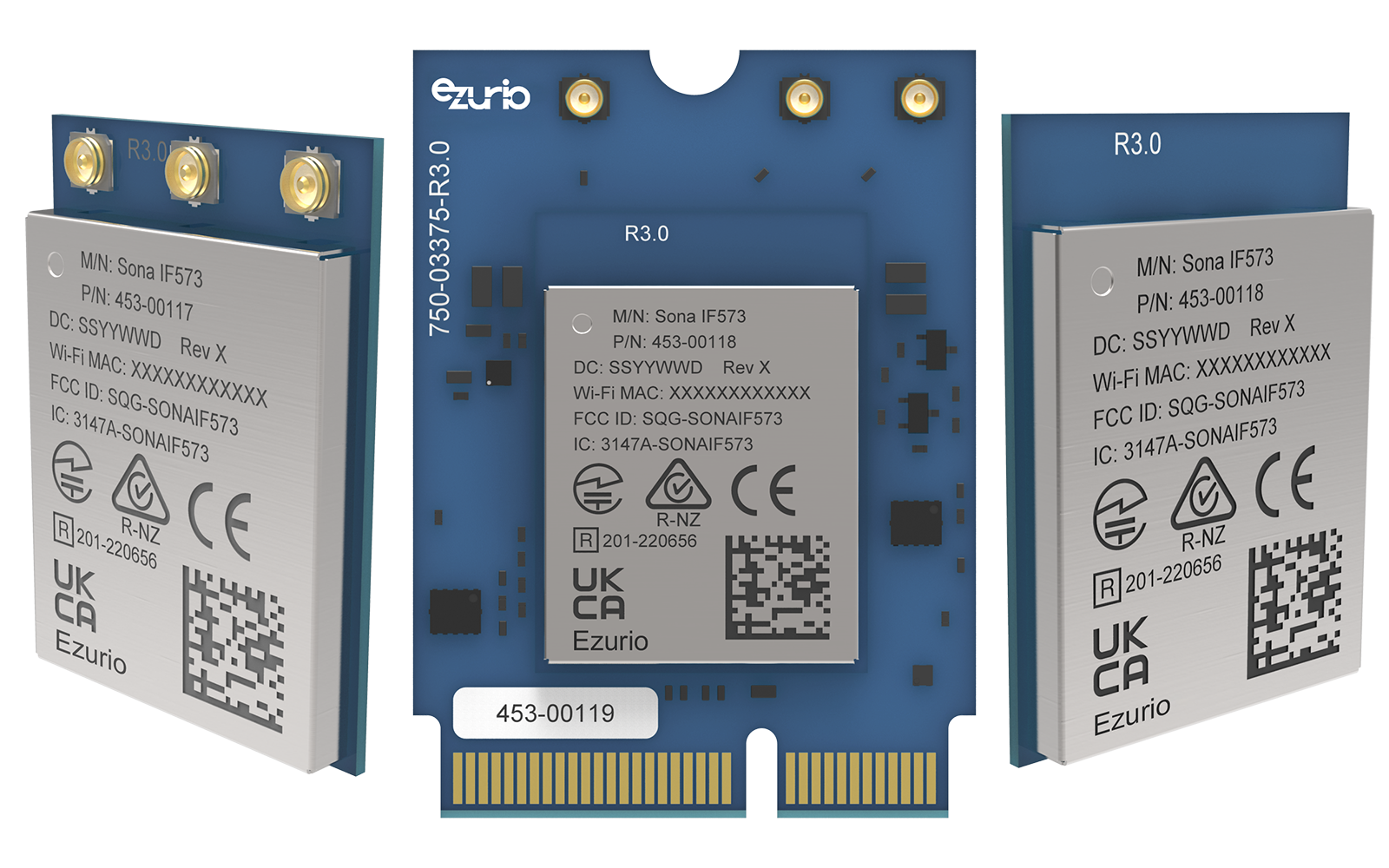
The Sona™ Wi-Fi 6/6E + BT family ships globally certified (FCC, ISED, UKCA, CE, Bluetooth SIG) with Ezurio’s EZ Connectivity Stack which supports 75+ kernel versions and included pre-configured wpa_supplicant, Network Manager, regulatory binaries, and Yocto recipes. You’re not starting from scratch.
One thing that catches teams off guard when evaluating Wi-Fi modules: the driver. Most silicon vendors give you a driver that works against a specific kernel version. You upgrade your BSP six months later and suddenly you’re chasing API changes or debugging a broken interface. It’s not end of the world, but it’s unplanned engineering work that shows up at the worst time.
Ezurio’s EZ Connectivity Stack takes a different approach. The backports infrastructure decouples the driver from your kernel version with 75+ versions supported from v2.6 through v6.18+. You upgrade your kernel, you don’t rewrite your radio stack. On a product with a 5-year field life, it’s the difference between a manageable software roadmap and an ongoing fire drill.
If you’re evaluating Wi-Fi modules for a new industrial SOM design, Wi-Fi 6 isn’t a stretch goal, it’s the right starting point. OFDMA, TWT, and BSS Coloring aren’t paper specs; they address real problems in the kinds of environments industrial hardware lives in.
The Sona™ family packages that in a globally certified, industrially rated module with full EZ Connectivity Stack support. SiP, M.2 1216 SMT, or M.2 2230 E-Key, depending on how tight your form factor is. If you’re at the module evaluation stage, it’s worth putting it on the list.
EZ Connectivity Stack: ezurio.com/ez-connectivity-stack
Talk to an engineer: ezurio.com/contact
Courtesy of Ezurio