

IO Ninja and Python Can Jam Together
IO Ninja + Python = ❤
As you know, IO Ninja excels as a UI debugger for serial, network, USB, and all other forms of communication. It offers a slick, polished user interface, a beautiful and lightning-fast logging engine, a sophisticated hex packet editor with packet templates, regex-based data markup, and many other powerful features.
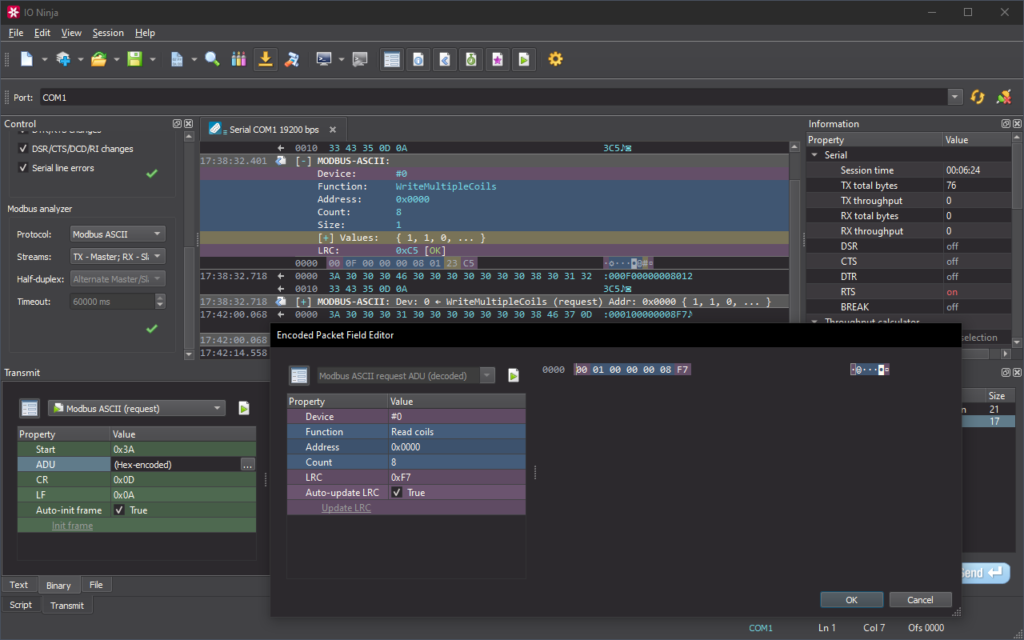
One of IO Ninja’s greatest strengths is its scriptability. Every IO Ninja session is implemented as a Jancy script and is fully open for you to inspect and modify. Additionally, there’s In-App Scripting for coding quick script snippets right inside the main app window!
Many of our users are excited about the possibilities opened by scripting, but feel held back by having to use Jancy, a powerful but unfamiliar language. That’s why we have made significant strides to bring IO Ninja and Python closer together, making scripting more accessible.
In-App Scripting In Python
Programmatically configure connection parameters, generate complex packets, react to inbound data, and more — all using the language you are already familiar with!
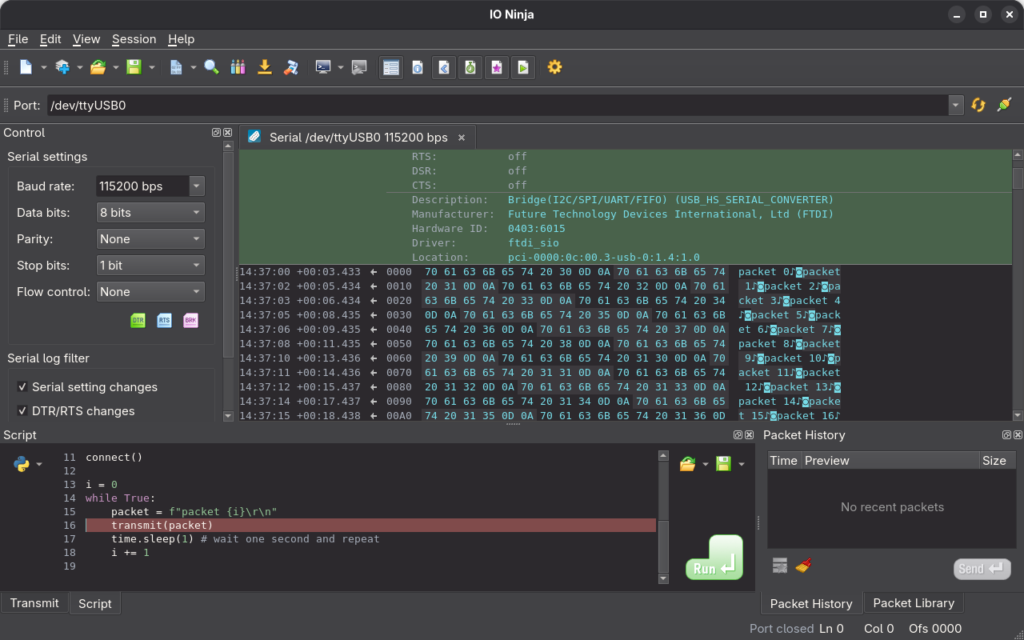
The entire Python standard library is at your disposal, including modules such as struct and ctypes, indispensable when working with binary packets.
“Bare” mode in ioninja-server
When research and experiments are over, it’s time to automate. At that point, you no longer want a GUI app — no matter how good it is. What you need instead is a simple CLI (command-line interface) to interact with your Python scripts.
While IO Ninja is inherently a GUI app, we believe we have found an elegant solution for bridging Python and any existing IO Ninja session.
ioninja-server is the workhorse process behind the IO Ninja app — it compiles plugin scripts, manages Jancy runtime environments, performs IO operations, and more. With recent releases, ioninja-server learned another powerful trick: it can now run in standalone CLI mode, without the main app telling it what to do.
Start ioninja-server with the –bare flag, specify which plugins to load, and pass their settings via simple .ini files (or a configuration script). The server will automatically start a session and pump all events to stdout, ready for your Python script to consume and process.
Processing IO Ninja logs in Python
$ ioninja-server \
    --bare \
    --plugin serial-tap-pro \
    --plugin-settings-file ./my-serial-tap-pro-cfg.ini \
    | python ./my-script.py
A couple of months ago, we published a blog post showing how to post-process IO Ninja log files with Python. The article explains intrinsic details of the logging engine and provides practical Python snippets you can use to walk through the logs produced by IO Ninja.
The same concepts (and nearly the same Python snippets) can be used to process the output of ioninja-server in bare mode — only this time, the log records will come from the stdout pipe rather than from a file on disk.
Debug communications with style and efficiency
We truly believe IO Ninja is the best communications debugger out there — all-in-one, scriptable, beautiful, convenient, and extremely feature-rich. With recent releases, we’ve worked hard to make interoperability with Python as smooth as possible.
IO Ninja + Python is a powerhouse combo for all your IoT and home-automation projects. Try it for yourself!
Courtesy of Tibbo
